
BF2142Unlocker
BF2142Unlocker runs a master server right on your PC, so you get all unlocks and stats even offline, without any manual patching. It also lists servers from several master servers and lets you join or host games from one simple window.
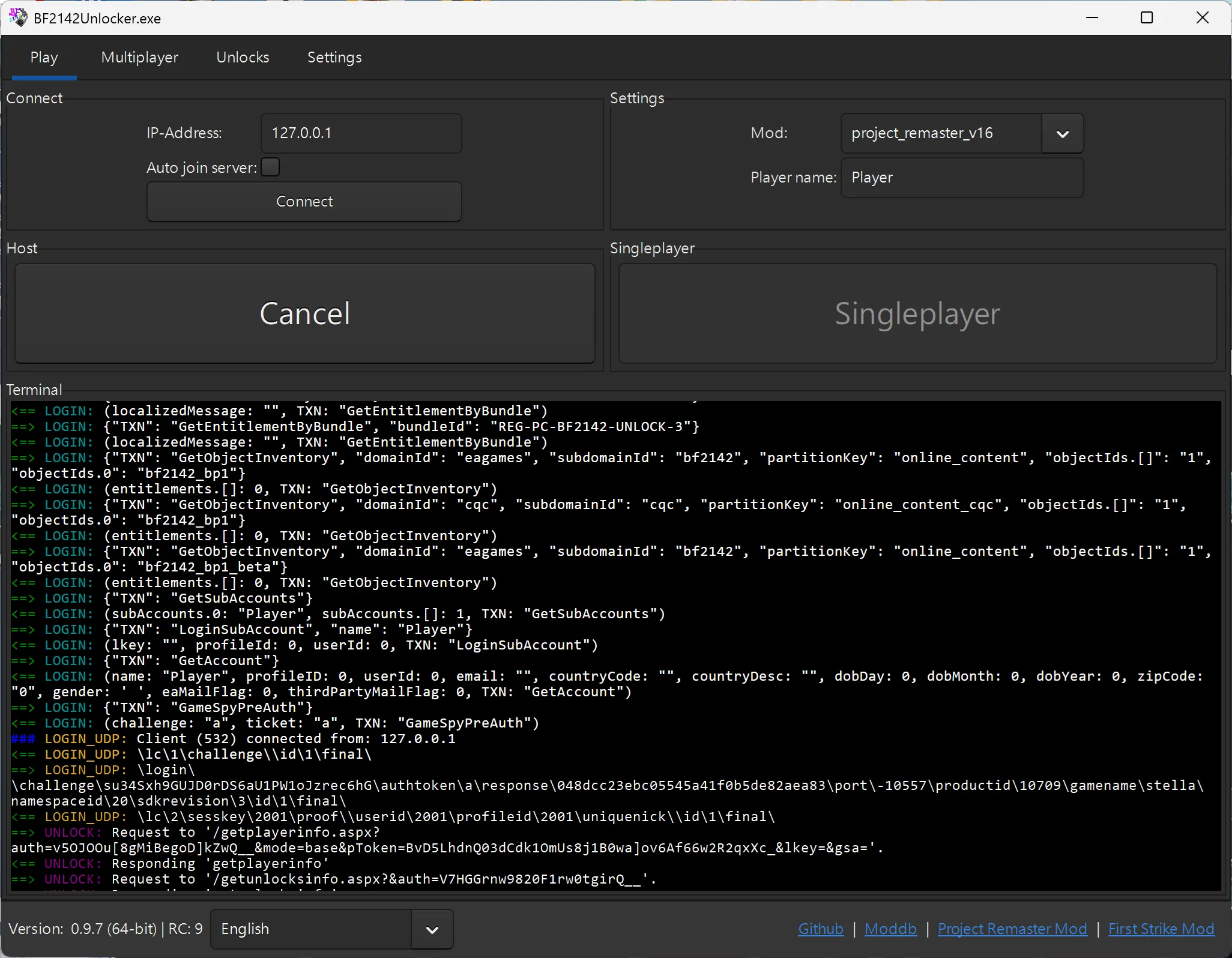
Host a master server
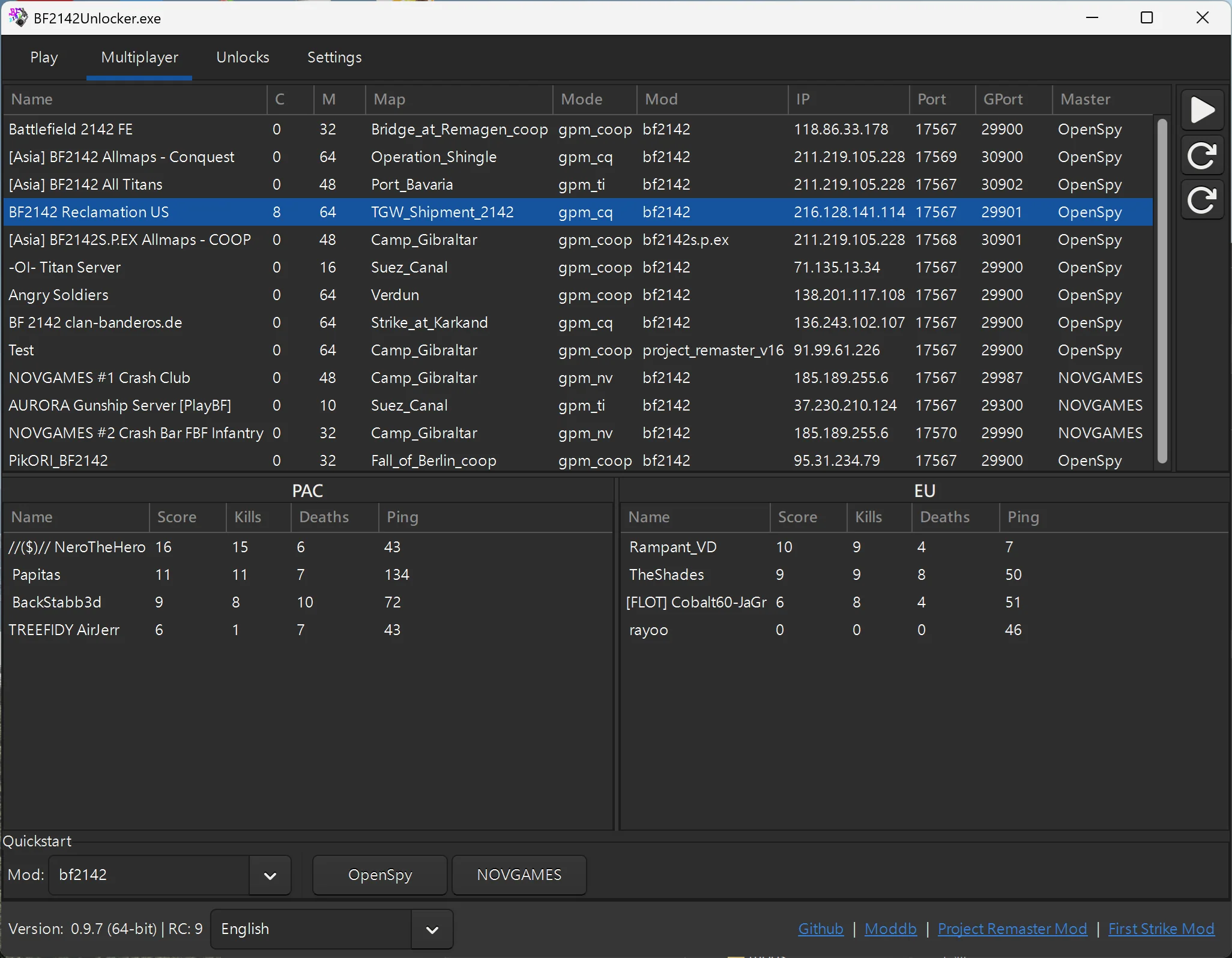
Play multiplayer
Good to know
- Host only starts the master server (logins and unlocks). You still start the actual game server from inside the game.
- You can host both even with no network connection at all.
- Host listens on all networks (
0.0.0.0), while Singleplayer only listens on this PC (127.0.0.1). - The Unlocker modifies the OpenSpy patches. To play on OpenSpy again, run BF2142 Hub as administrator and reinstall the OpenSpy patches.
Downloads
Section titled “Downloads”Source: Dankrad @ BF2142 Remastered
What’s new
- Added a FESL SSL proxy. It handles the TLS 1.3 that OpenSpy now requires, while still supporting SSLv3 and older cipher suites for NovGames and other master servers.
- Added the PACvsEU master server.
- Known issue: LAN multiplayer is broken. The game crashes when you click multiplayer after starting it through the offline or quick menu.
Source: Dankrad @ BF2142 Remastered
What’s new
- In-game OpenSpy stats and buddy list work again (
server.ininow stores the FESL address separately). - Fixed NovGames account creation.
- Fewer crashes when the FESL server doesn’t respond.
Source: Dankrad @ BF2142 Remastered
What’s new
- Removed the PlayBF2142 master server (it no longer lists any servers).
- Fixed the OpenSpy master server address, so logging in and creating accounts work again.
- Added a 2× anti-aliasing option.
- Fixed a black-screen crash on startup when the master server’s IP was in the Windows hosts file. Thanks to Dennie for tracking it down.
- Build and compatibility fixes.
RC7 has its own setup steps, so it lives in the archived guide.
Setting up
Section titled “Setting up”-
Extract the download and launch
BF2142Unlocker.exe. -
Set the game path to your
Battlefield 2142folder, usuallyC:\Program Files (x86)\Electronic Arts\Battlefield 2142. -
Enable LAA-Patch. It lets the game use up to 4 GB of RAM and prevents crashes.
-
Tick Window Mode and set your resolution. Switch to fullscreen once everything works, since windowed mode makes troubleshooting easier.
-
Choose your Mod, set your Player name, and check the Video, Audio and HUD settings.
-
Click Host to start your master server, then start a game from inside BF2142.
The game looks distorted in windowed mode?
Enable High DPI Aware for both game executables:
- In your
Battlefield 2142folder, right-clickBF2142.exe→ Properties → Compatibility → Change high DPI settings. - Tick Override high DPI scaling behavior, set it to Application and click OK.
- Repeat for
BF2142Patched.exe.
Hosting a game for friends
Section titled “Hosting a game for friends”-
Click Host, then start your game server as described in Host a server, including the notes under Before you start. For internet play, forward the two extra Unlocker ports too.
-
Share your IPv4 address with your friends: local for LAN, public for the internet.
-
Your friends enter that address in the Unlocker’s IP-Address box, tick Auto join server and click Connect. That connects them to your master server and game server in one go.
Credits
Section titled “Credits”- Dankrad for creating and maintaining BF2142Unlocker @ BF2142 Remastered
- Dennie for tracking down the host / singleplayer crash @ BF2142 Remastered