
Widescreen HUD
BF2142 was built for 4:3 screens. The v1.51 patch added widescreen support, but it mostly stretches the picture, so the HUD still looks off at 16:9. The Project Remaster team’s HUD fix resizes it properly.
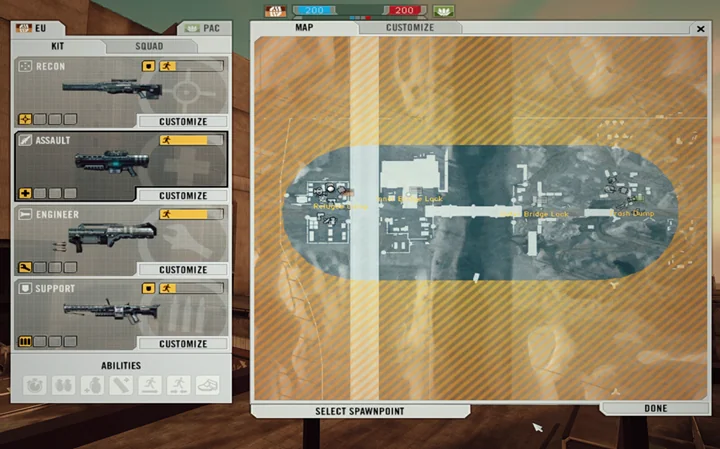
Before
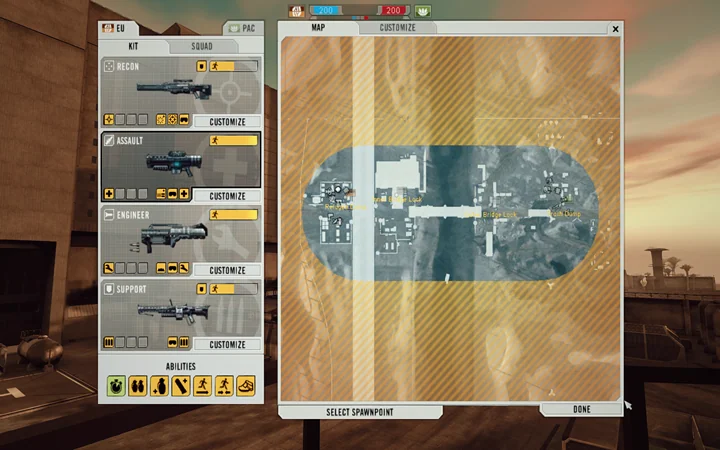
After
Before you start
Section titled “Before you start”- Your game folder is where
BF2142.exelives, usuallyC:\Program Files (x86)\Electronic Arts\Battlefield 2142. - In the steps,
<MOD>meansmods\bf2142for vanilla, or your mod’s folder.
-
Download the patch from Downloads and extract it. You’ll get two files:
Menu_server_hudfix.zipandShaders_client_hudfix.zip. -
Copy both files into
<MOD>. -
Back up
ClientArchives.con(copy it asClientArchives_o.con), then open the original with a text editor and add this line at the very top:2Terminal window fileManager.mountArchive Shaders_client_hudfix.zip Shaders -
Back up
ServerArchives.conthe same way, then add this line at the very top:Terminal window fileManager.mountArchive Menu_server_hudfix.zip MenuCan’t save your changes? Copy the file to your desktop, edit it there, then copy it back.
-
Turn on widescreen when you launch the game:
- BF2142 Hub: tick TURN ON WIDESCREEN.
- Remaster Launcher: enable Widescreen Fix in Settings.
- Desktop shortcut: add
+widescreen 1to the Target field (how).
Downloads
Section titled “Downloads”Source: GetBF2142
Source: GetBF2142
What’s new
- Widescreen support for the Commander screen
- Fixed elements that were cut off by the shrunken border
Source: GetBF2142
Good to know
Section titled “Good to know”- Undo the changes before joining Reclamation or other online servers, unless the server uses this fix too.
- Hosting with this fix? Players who join need it too.
- To uninstall, restore your backups and clear the cache.
Credits
Section titled “Credits”- The Project Remaster team for making this fix available @ BF2142 Remastered
- ompadu for figuring out how to install it on vanilla BF2142 @ BF2142 Remastered