
Frostbite Chat
Love the chat from BF3 and BF4? This addon brings that clean, modern look to BF2142, for soldiers and commanders alike.
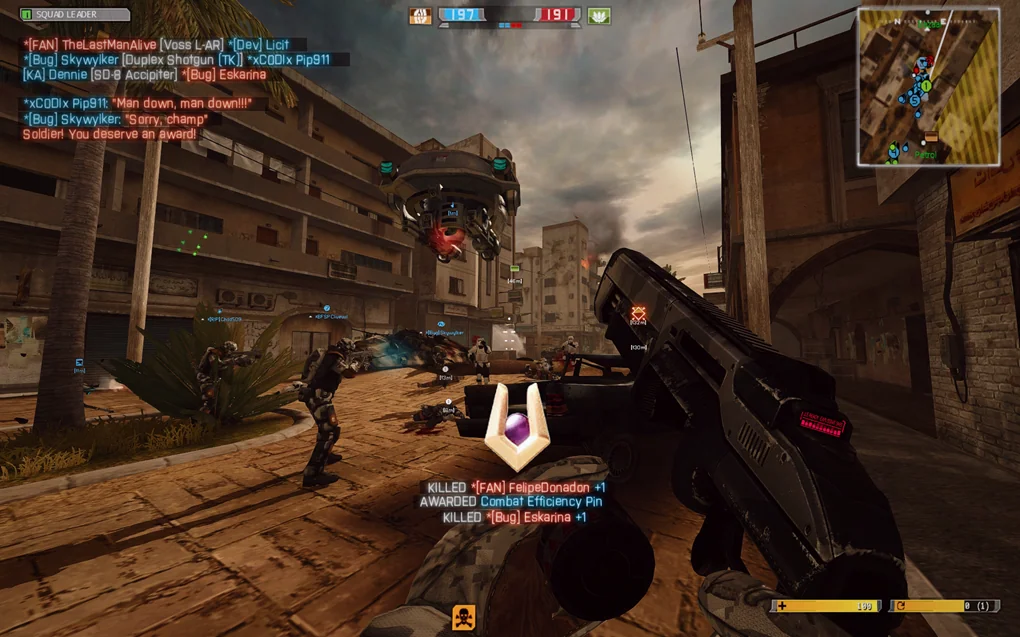
Player view
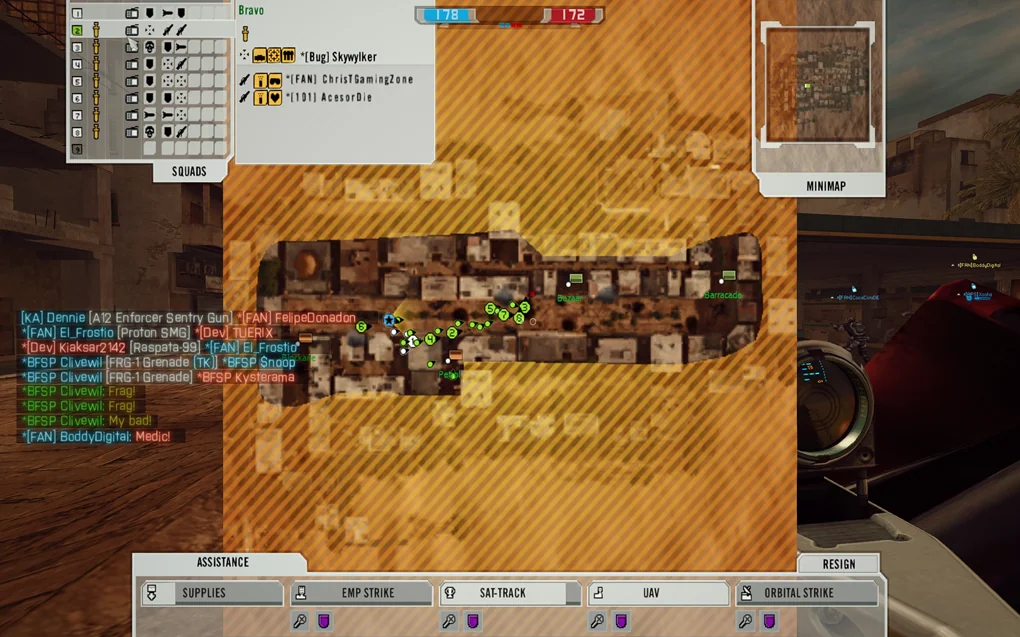
Commander view
Before you start
Section titled “Before you start”- Install the Widescreen HUD fix first. Using Project Remaster? Just enable HUD-fix in the Remaster Launcher.
- Your game folder is where
BF2142.exelives, usuallyC:\Program Files (x86)\Electronic Arts\Battlefield 2142. - The addon goes into
mods\bf2142for vanilla, or into your mod’s folder.
-
Download the addon from Downloads, with or without the chat background.
-
Follow the steps in the included
README.txt.
Downloads
Section titled “Downloads”Source: GetBF2142
Source: GetBF2142
What’s new
- Ported from the BF2 Heat of Battle mod instead of Frostbite MenuShader, to support HD fonts
- Added a background to the chat list
- Added personal messages (shown at the bottom centre of the screen)
- Added chat to the Commander screen
- Tweaked the J, K and L labels in the input box
Good to know
Section titled “Good to know”- Undo the changes before joining Reclamation or other online servers, unless the server uses this addon too.
- Hosting with this addon? Players who join need it too.
- To uninstall, undo the steps from the README.
Credits
Section titled “Credits”- Leeberty for bringing BF3-style chat and nametags to BF2 @ Frostbite MenuShader, Frostbite Nametags
- The Heat of Battle team for enhancing Leeberty’s HUD @ Heat of Battle
- Dennie for porting it to BF2142 @ BF2142 Remastered